What a scam: Domain Registry of Canada

On July 21, 2009, in Computer Matters, by Frederick

I’ve been receiving these letters every single year a few months before any one of my domains is set to expire.

This company is clearly harvesting WHOIS data in violation of their ICANN agreement to send official-looking “expiration notices” to domain owners, many of whom unwittingly send in payment, unaware that the “Domain Registry of Canada” is merely a company attempting the entirely unethical practice of domain slamming.

Since 2001, this company has been soliciting domain transfers under the guise of renewing the registration with the existing registrar. Of course, their prices are ridiculously expensive — $40 per year for a domain name — and that’s part of why I didn’t fall for it, since I operate my own domain registrar and I know the value of domain registration services aren’t that high.

An early example of the domain letters from 2002 is published online.

In 2003, the Federal Trade Commission settled with the sister company “Domain Registry of America” to stop their misleading business practices. The way they decided to comply was by adding a little blurb that blended into the text, one that few people seeing an official-looking letter would read.

They’ve changed it a bit now, to uppercase and bold text, but the premise of their operations is still the same.

The letter comes in an envelope that almost looks like it's from the Government of Canada

The letter comes in an envelope that almost looks like it's from the Government of Canada; my address is redacted

The envelope is misleading. Indeed, the colour and layout of the envelope nearly exactly matches that of an official Canadian government letter, except for the return address in the top-left. And there they’ve neatly placed a maple leaf, knowing that it is associated with the country, and by extension, the government.

Even the NAME is misleading.

The letter has been changed in recent years, but still carries the same layout that I recognize from as early as 2005. The prices are ridiculous; a .net domain isn’t worth $40/year. (I know; I was selling them for $7.99 last month.)

The letter is sure to make inexperienced domain owners panic.

The letter is sure to make inexperienced domain owners panic.

That letter just irritates me. Sentences like “take advantage of our best savings” when you actually pay $30 more, misleading phrases like “You must renew your domain name to retain exclusive rights”, and worst of all:

“Failure to renew your domain name by the expiration date may result in a loss of your online identity making it difficult for your customers and friends to locate you on the Web.”

It’s rare for me to be this angry. But it’s a ripoff.

Tagged with:
 

Office 2010 Technical Preview: Part 2

On July 20, 2009, in Computer Matters, by Frederick

See Part 1 if you haven’t read it for some background. In this post:

I’ve had about 4 days now to play with the Office 2010 Technical Preview, which, according to Ars Technica, is actually a slightly older build than the most current one, and for which testers were “hand-picked”.

I did end up installing both the 32-bit and the 64-bit editions of the software, realizing that I wanted to see whether 64-bit was stable (and it seems to be). When I discovered that Office 2010′s PDF export functionality is terribly inferior to Adobe Acrobat (more on that later), I went back to 32-bit so that the Acrobat add-in would work, but discovered to my horror that it crashes Word (but more on that later).

Let’s get started with some fresh content about interface improvements. LOW-BANDWIDTH WARNING: there are a LOT of screenshots.

Interface improvements

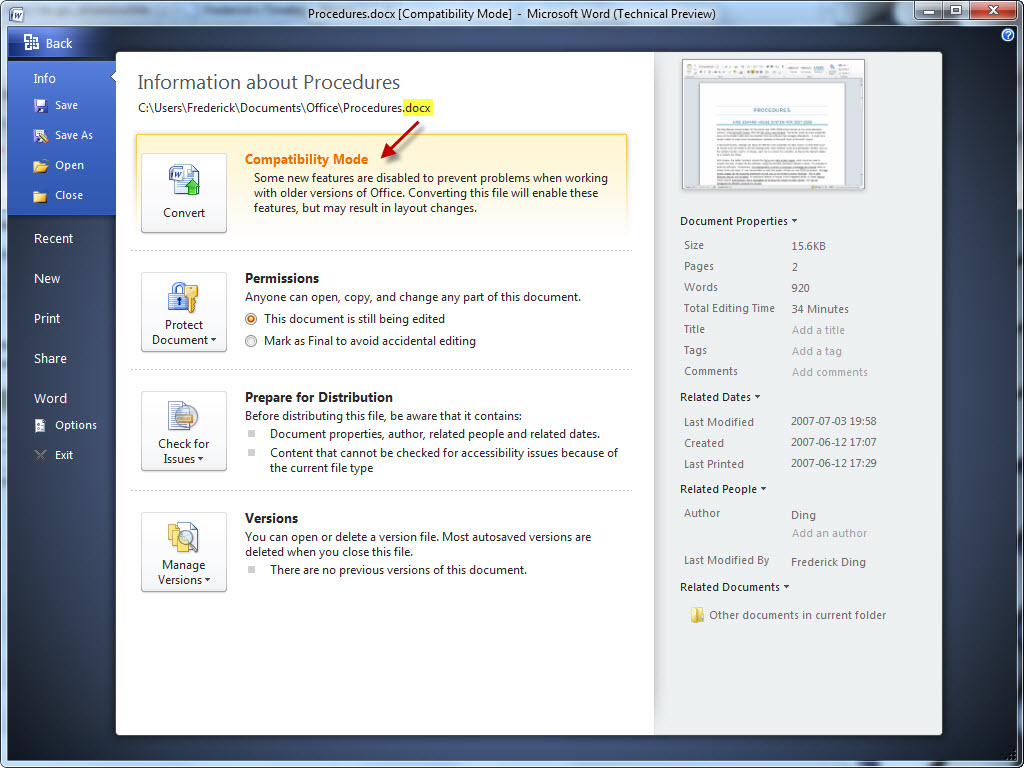
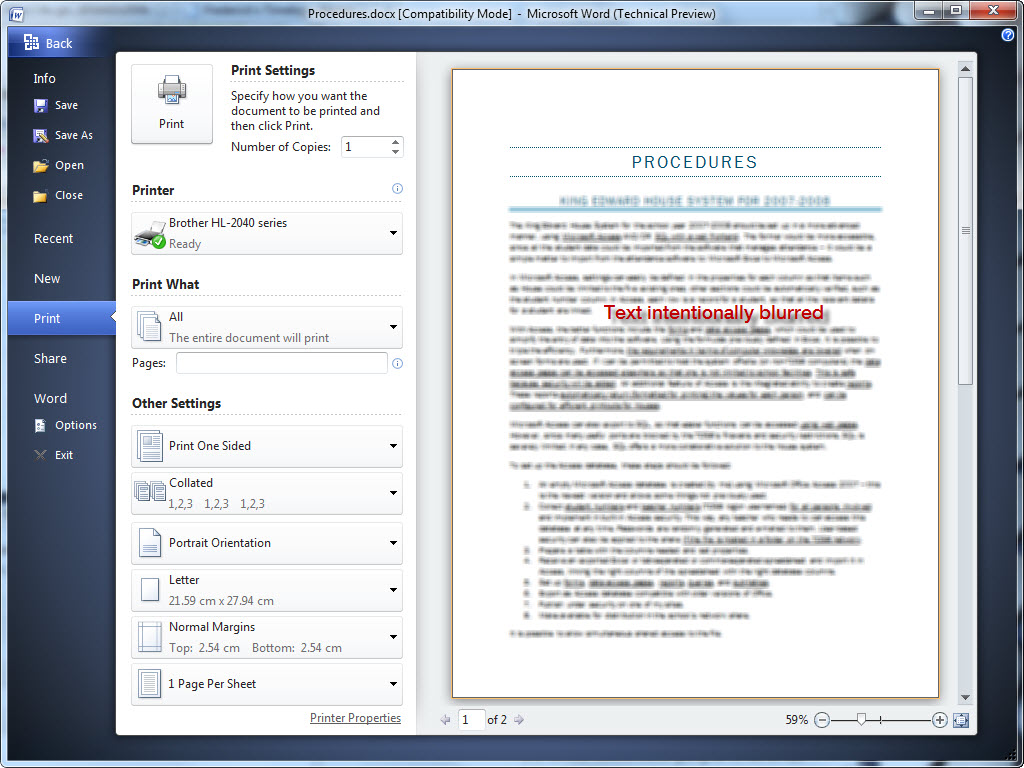
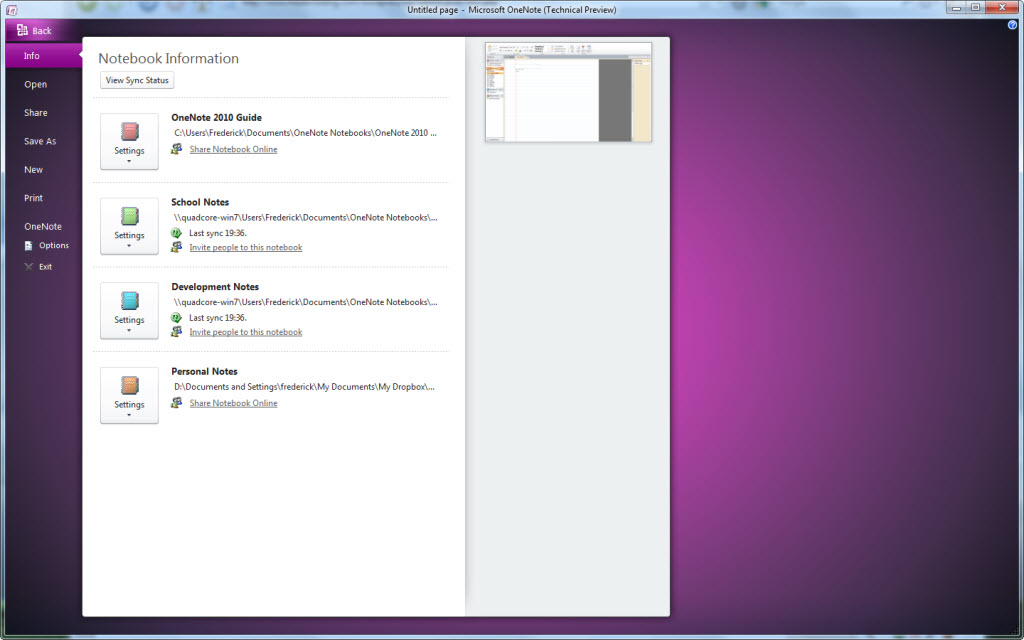
Indeed, Office 2010 is even prettier than Office 2007, at least in my opinion. The splash screens are now animated, as demonstrated below.

Please enable Javascript and Flash to view this Flash video.

On Windows 7, the titlebar blends seamlessly into the application, taking the Office 2007 look a bit further by merging it with Aero Glass. It’s a nice change.

Applications with the ribbon now integrate seamlessly into Aero Glass on Windows 7

Applications with the ribbon now integrate seamlessly into Aero Glass on Windows 7

Tip: on my blog, you can click on any image that links to the picture to see a larger version.

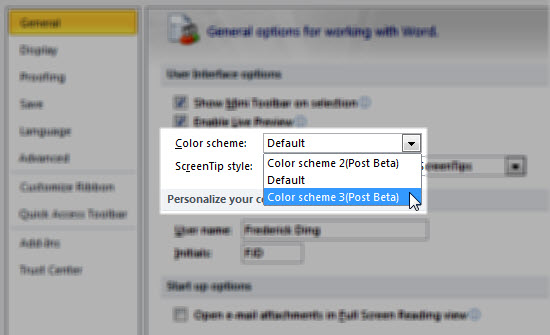
Some people don’t like how the colour is now white, but I don’t mind it at all. I just wish the colour schemes were actually available. In Office 2007 there was a choice between Blue, Black and Silver.

Seems the colour schemes aren't available in the Technical Preview

Seems the colour schemes aren't available in the Technical Preview

Ribbon, Ribbon Everywhere

The ribbon (also known as the Fluent UI) is now extended to Outlook and Publisher as well. (In Outlook 2007, messages and composing would take place in a window with the ribbon, but the application itself was ribbonless.)

Outlook 2010 has a ribbon now

Outlook 2010 has a ribbon now

Unfortunately, the ribbon seems to complicate Publisher, allocating valuable screen space (of which people have tons these days) to tools that will be used once or twice in the life of the workflow.

Too much space is dedicated to the colour schemes

Too much space is dedicated to the colour schemes

More follows the jump.

Continue reading »

Tagged with:
 

A David Suzuki article

On July 20, 2009, in Environmental Matters, by Frederick

It’s pretty rare for me to read any offline news nowadays, but I did that today, noting to my chagrin the ongoing strike in Toronto that has made it a foul smelling dump, and an article about gossiping from which I have much to learn. But there was another article worth sharing by David Suzuki. Fortunately, this newspaper has an electronic edition, making it possible for me to share these articles.

In this article, entitled “Harming environment is bad for business“, he pointedly attacks the companies exploiting the tar sands who launch massive campaigns to cast doubt on environmental science, and the politicians who pretend that scientists worldwide are scheming to deceive the public. You should read it.

"…ecology and economy have the same root, from the Greek 'oikos,' meaning 'home.'"

"…ecology and economy have the same root, from the Greek 'oikos,' meaning 'home.'"

Go on, read it. Not that I’m an environmentalist. (Well… I make decisions considering the climate change, but I’m not an activist.)


Office 2010 Technical Preview: Part 1

On July 16, 2009, in Computer Matters, by Frederick

This is the first part of my posts about Office 2010. Last night, I received an invitation to the Office 2010 Technical Preview, and today, I am attempting to install it on my Windows 7 RC machine.

Legal notice: since this isn’t a private beta, I am allowed to discuss the preview and my experiences with it. However, I am not allowed to share product keys, installer files, and documents to which I have access by virtue of the invitation. The contract that binds me with reference to the technical documentation quotes as follows:

You […] agree: (a) to refrain from disclosing or distributing the Confidential Information to any third party for five (5) years from the date of disclosure of the Confidential Information by Microsoft to Company/You; (b) to refrain from reproducing or summarizing the Confidential Information…

Thankfully, there’s a public pressroom for Office 2010 information, from which I was able to get equivalents of the stuff in the confidential documents. Here’s some information for you.

System Requirements

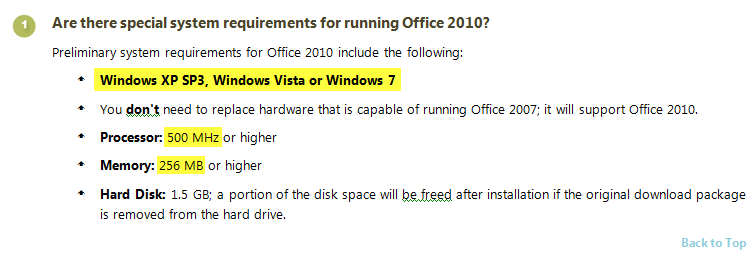
Office 2010 is designed to work on computers with very limited resources; after all, many businesses were concerned that they would once again need to upgrade their hardware. Office hasn’t really necessitated hardware upgrades in the past; Office 2003 ran very well on old Dell OptiPlex machines on Windows 2000, and Office 2007 ran quite well on older XP laptops.

The specific details are in the FAQs document.

Office 2010 System Requirements; click to see full image

Office 2010 System Requirements; click to see full image

The installers are rather compact; the Technical Preview 32-bit/64-bit installers for Office 2010 Professional are no more than 600 MB each.

64-bit editions

I’m currently on Windows 7 RC 64-bit edition, but I resolved ultimately to install the 32-bit edition of Office 2010. This is due to the following reasons:

  • The 64-bit edition of Office 2010 does not support most add-ins.
    Users of software with add-ins in Office programs will find that most of them do not work with the 64-bit edition of Office 2010. Software vendors are expected to release newer 64-bit add-ins, but users must use the 32-bit edition for compatibility with older add-ins.
  • One cannot upgrade Office 2007 to Office 2010 64-bit.
    According to the technical documentation, “2007 Office system cannot be upgraded to native Office 2010 64-bit.
  • I don’t work with spreadsheets greater than 2 GB in size.
    The documentation listed a number of benefits of using the 64-bit edition. The central point was being able to open large Excel spreadsheets. Since I don’t do this, the benefits of the 64-bit architecture are insignificant when it comes to Office 2010.

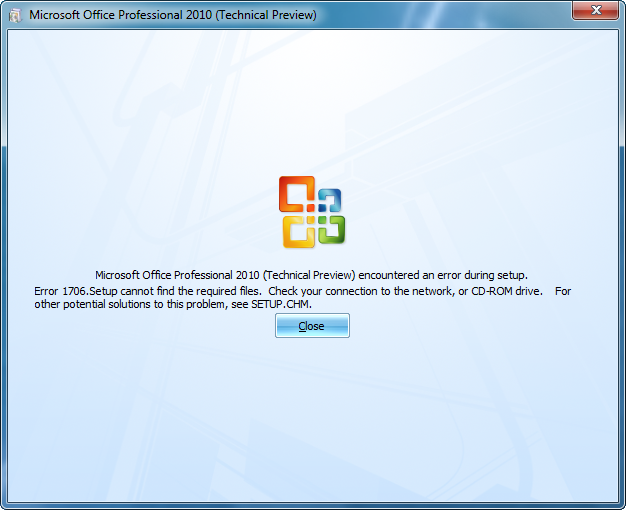
Screenshots of my installation will come in the next installment of these posts. That is, after I manage to install it. At the moment I’m getting the following error with the 32-bit installer, after customizing the install and even going through a few minutes of the installation progress bar.

The error I'm getting with the installer

The error I'm getting with the installer

If this persists with the 32-bit installer, I may have no choice but to try the 64-bit installation.

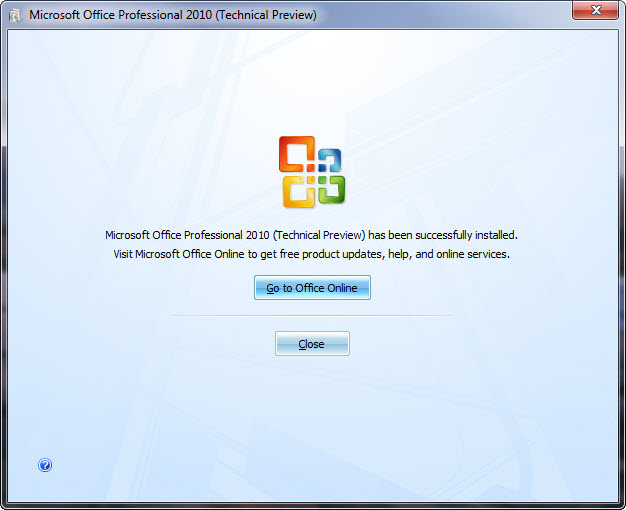
Update: the installer has now succeeded. More will be coming!

Finally, I've managed to install it.

Finally, I've managed to install it.

Update: Part 2 is here, with screenshots and commentary on interface improvements!

Tagged with:
 

VIPRE – Another Antivirus Product?

On July 2, 2009, in Computer Matters, by Frederick

I’m usually sceptical of new antivirus products advertised to be both ‘fast’ and ‘effective’. But after receiving an offer from Sunbelt Software to inform readers about their new product — VIPRE® Antivirus + Antispyware — I had to investigate.

VIPRE claims to be “high-performance security software” that performs better than traditional suites like Norton Antivirus. That much is very believable; after all, we all know how clunky and laggy the established ‘leaders’ in antivirus are. But my personal antivirus favourite is ESET NOD32 — and I’ve always gotten the impression that it’s fast — so I was really surprised that internal testing showed VIPRE to be even faster and more resource-efficient than NOD32.

VIPRE: Scan in Progress

VIPRE: Scan in Progress

At this point I wanted to see what some credible sources had to say. CNET UK had essentially the same reaction that I had when first presented with this product: “never heard of it.” But after their own use, they had this to say: “we’re pretty impressed and will continue to use it — particularly on netbooks, which don’t have much power to spare.”

Credible sources that give software positive reviews always influence me. That’s why I think (and this personal opinion isn’t influenced by the sponsorship of this post) you should try Sunbelt’s new Antivirus Software, especially if you don’t have antivirus software already. Install the 15-day trial and decide for yourself whether it’s worth using. (I would have done the same myself if I had another PC to use for testing.)

Sponsored by Sunbelt Software

Tagged with: